SmartCarbon 2.0

The next generation of carbon accounting software

SmartCarbon 2.0 brings together powerful automation, intelligent data capture, flexible reporting and Net Zero planning tools to make measuring, managing and reducing your carbon emissions easier than ever.

Book a demo Explore platform features

Powerful features. Practical benefits.

Our intuitive platform helps organisations save time, improve reporting accuracy and turn emissions data into actionable carbon reduction plans. And because we’re the carbon accounting specialists, our technology is backed up by the reassurance of expert consultancy and hands-on support from our team.

You’ll be guided through the setup process and advised on how to structure reporting, so the platform is tailored to you from day one.

SmartScan: AI-powered data capture

Less manual data entry. Less time lost to admin

Say goodbye to hours spent transferring information from invoices, bills and spreadsheets. Our new SmartScan automation tool extracts relevant data from uploaded documents and logs it within your reports.

From energy bills to business mileage records, SmartScan makes data collection faster, easier and more efficient.
Intelligent scoping: reporting tailored to your organisation

Focus on the information you need

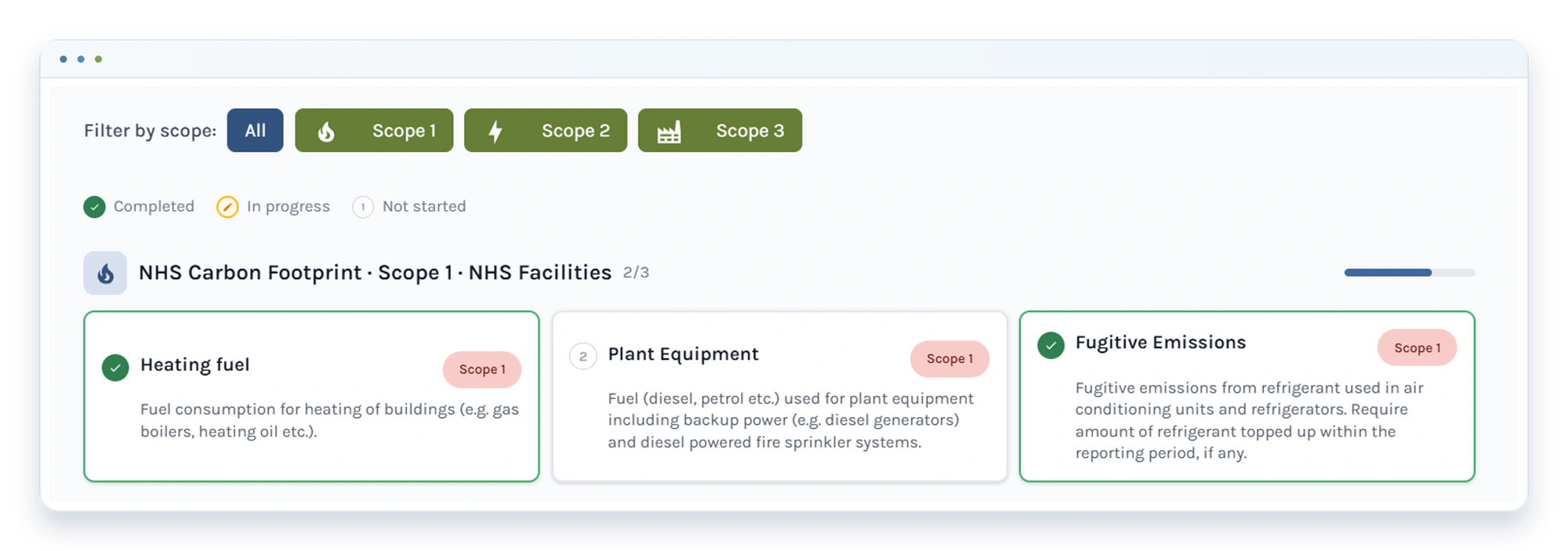
Every organisation has its own individual emissions sources and reporting requirements. That’s why SmartCarbon’s intelligent onboarding process uses a series of straightforward scoping questions to identify the activities relevant to your operations.

Avoid navigating through thousands of emissions factors and unnecessary reporting categories and zone in on the parameters that reflect your organisation’s activities instead.

SmartCarbon NHS demonstration activity cards for heating fuel, plant equipment and fugitive emissions.

Automated carbon calculations

Accurate carbon accounting without the guesswork

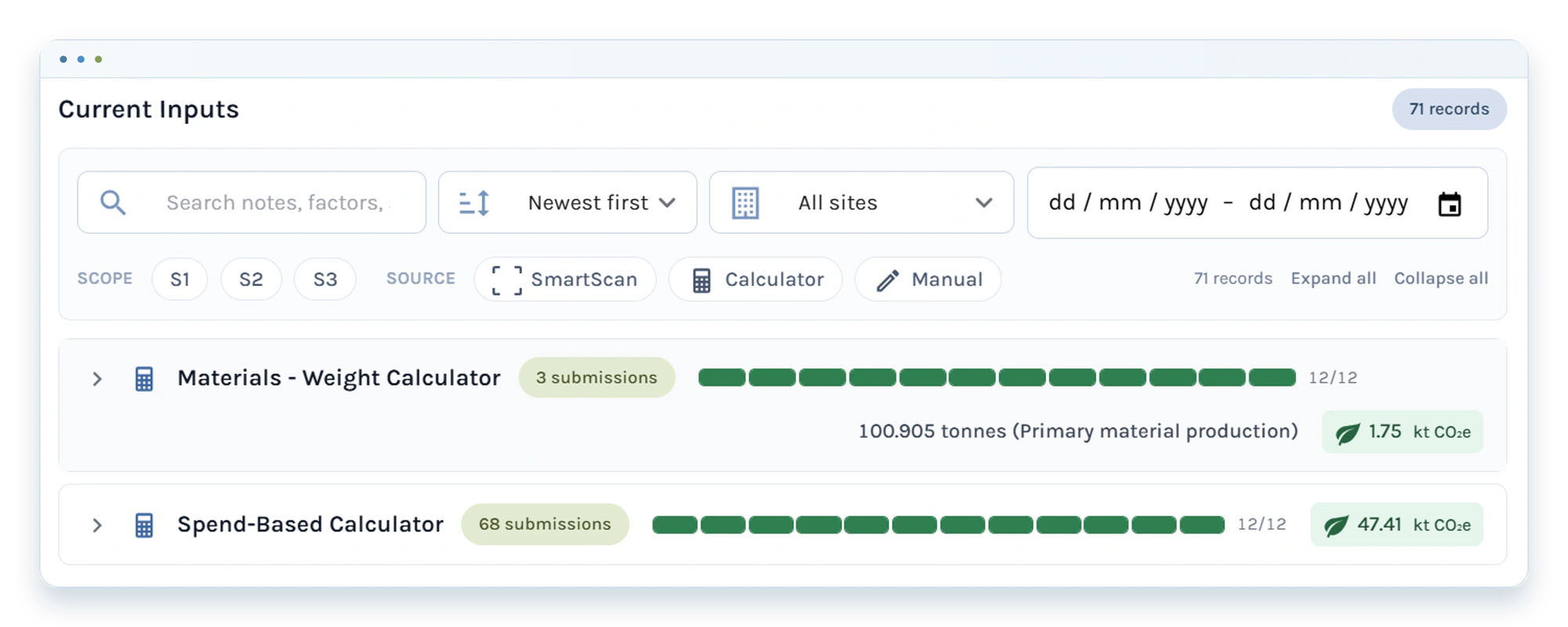
SmartCarbon 2.0 takes the complexity out of calculating greenhouse gas emissions. Enter your activity data manually, upload information using our reporting templates or use SmartScan to automate data capture.

The platform automatically:

  • Assigns relevant emissions factors
  • Calculates your carbon footprint across Scope 1, 2 and 3
SmartCarbon current inputs view with recorded materials and spend activity data.

Flexible reporting

Organise emissions data around your organisation

From a single premises SME to a multi-site organisation with many departments, divisions and projects, SmartCarbon 2.0 can be configured to suit your needs.

Our flexible reporting hierarchy allows you to organise and measure emissions across different business units, premises or individual projects.

SmartCarbon demonstration emissions chart comparing organisational divisions.

Clear dashboards and actionable insights

See everything from the big picture to the granular detail

A new, interactive dashboard helps your team:

  • Understand where emissions originate
  • Compare reporting periods
  • Monitor progress against your baseline
  • Make more informed decisions about your carbon reduction priorities.

Historical reporting data makes it easy to track your progress over time and assess whether your organisation is on track.

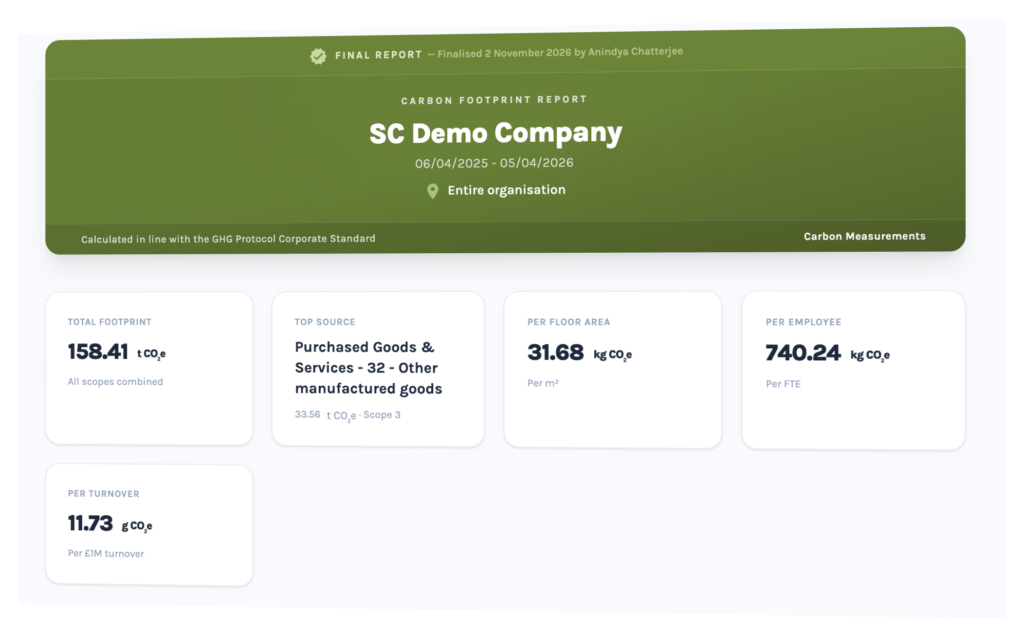
SmartCarbon demonstration Scope 1, 2 and 3 emissions chart and source breakdown.

Compliance-ready reporting

From emissions data to framework-aligned reports

Reporting obligations vary from industry to industry. But with SmartCarbon 2.0 it’s easy to produce the information you need to demonstrate your progress.

Generate structured carbon reports aligned with recognised standards and frameworks, including:

  • Greenhouse Gas Protocol
  • Streamlined Energy and Carbon Reporting (SECR)
  • NHS Carbon Footprint reporting
  • Carbon Reduction Plans under PPN 006

Net Zero Hub: turning insight into action

Use reporting to inform meaningful carbon reduction.

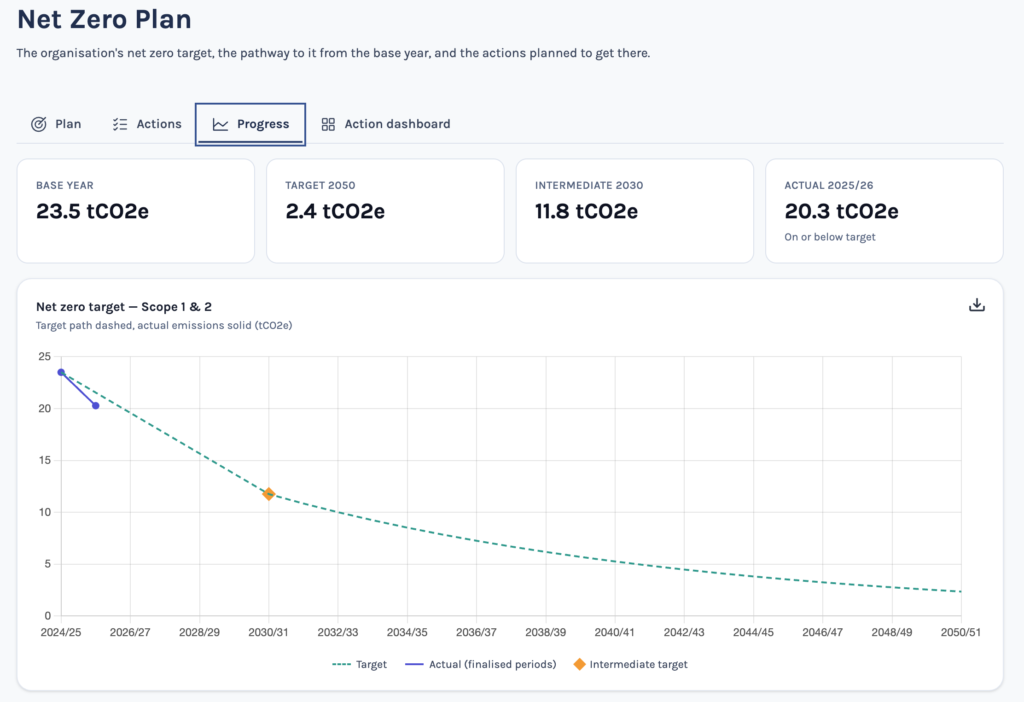
Use the SmartCarbon Net Zero Hub to establish reduction targets and monitor progress. Set your baseline and target years, establish milestones and track performance against your long-term ambitions.

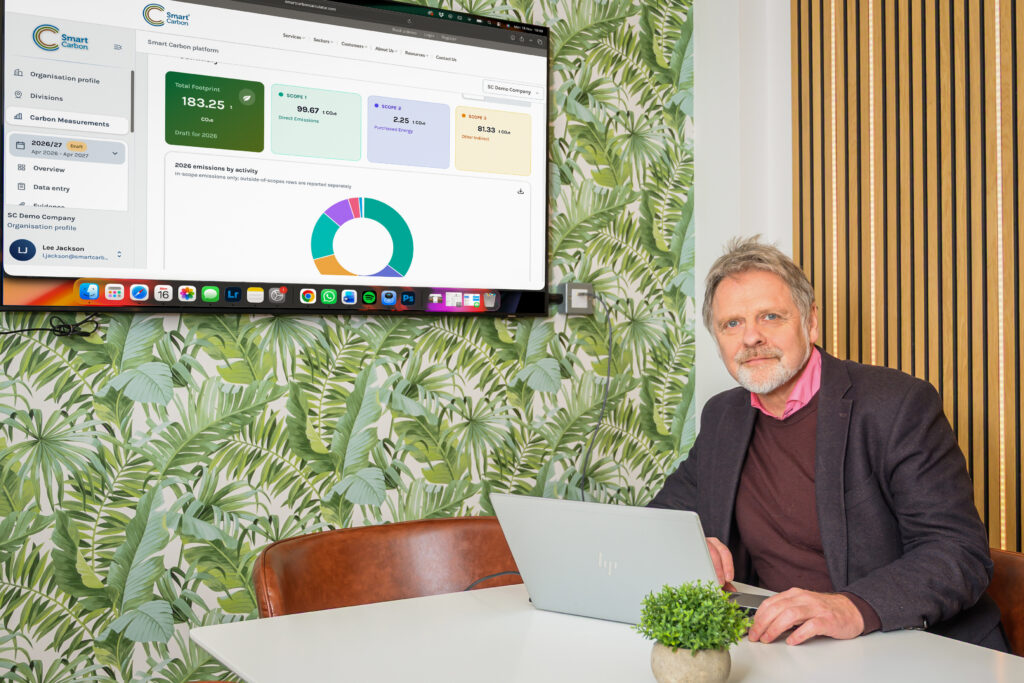
Lee Jackson beside a SmartCarbon reporting dashboard in the SmartCarbon office.

Guided onboarding to help you get started

Our team guides you through organisational setup and advises on how to structure your reporting.

We work with you to review your assets and activities to determine which data sets you can use and help you to allocate carbon impacts across your operations.

Carbon reporting is complex. Using our software isn’t.

Collecting emissions data across multiple locations, departments and suppliers can take time. SmartCarbon 2.0 automates data capture and calculations and brings collection, calculation and reporting into one workspace.

Whether you’re calculating your first baseline or improving an established reporting process, the platform adapts to your organisation’s structure and the way your organisation works.

Built for compliance. Designed for clarity.

Keep a complete, auditable record of your organisation’s carbon footprint and see which emissions sources matter most to your reduction plans.

Unlimited user access

Give administrators, editors and auditors permissions that fit their responsibilities. Limit access to relevant divisions or reporting activities.

Flexible data collection

Choose manual entry, SmartScan document capture or downloadable templates for bulk uploads of activity data.

An auditable record

Keep a record of changes to emissions data so your team can see what changed during reporting and review.

Supply chain reporting made simple

Emissions from purchased goods and services typically make up a large share of an organisation’s footprint. Gathering that data often means working with suppliers.

Whether you’re a manufacturer gathering data from hundreds of suppliers or an SME reporting to a customer, SmartCarbon can help you organise supply chain data consistently.

Book a demo

The SmartCarbon reporting workspace

How we work

Our carbon specialists help you set up your carbon reporting in five steps.

Step 1

Set up your organisation

Define your reporting boundaries, structure, locations and users.

Step 2

Tailor your reporting

Answer scoping questions to identify the emissions activities relevant to your organisation.

Step 3

Capture your emissions data

Enter data manually, use bulk upload templates or extract it from documents with SmartScan.

Step 4

Finalise and report

Review and check your data, explore your footprint in the dashboards, choose intensity metrics and generate the reports you need.

Step 5

Plan your carbon reductions

Set your Net Zero target, define your reduction trajectory and use reporting data to track progress.

“The interactive graphs have helped us understand our data and focus our efforts in reducing our carbon footprint.”

Samantha Granger
Head of Environmental Sustainability
Thirteen Group

Carbon reporting questions

Can SmartCarbon support Scope 1, 2 and 3 reporting?

The platform supports reporting across all three scopes. A demonstration can explore the categories and information relevant to your organisation.

What does getting started involve?

Start by discussing your reporting needs, organisational structure and available information. The team can show relevant data entry, review and reporting tools and explain the support available.

What support is available?

SmartCarbon offers platform guidance, consultancy and training. Contact the team to confirm what your account includes and discuss any additional help you need.

Where can I find information for my organisation?

Explore the platform tools

SmartCarbon Lite

Simpler carbon reporting for smaller organisations and suppliers.

Supplier reporting

Collect and share emissions information across your supply chain.

Net Zero Planning Tool

Plan a reduction trajectory and track progress against your baseline.

Explore Net Zero planning

Sign up for our Newsletter and receive the latest carbon-reducing news direct to your inbox.